

Arduino for Makers: From Classic to Cutting Edge (2026 Update)
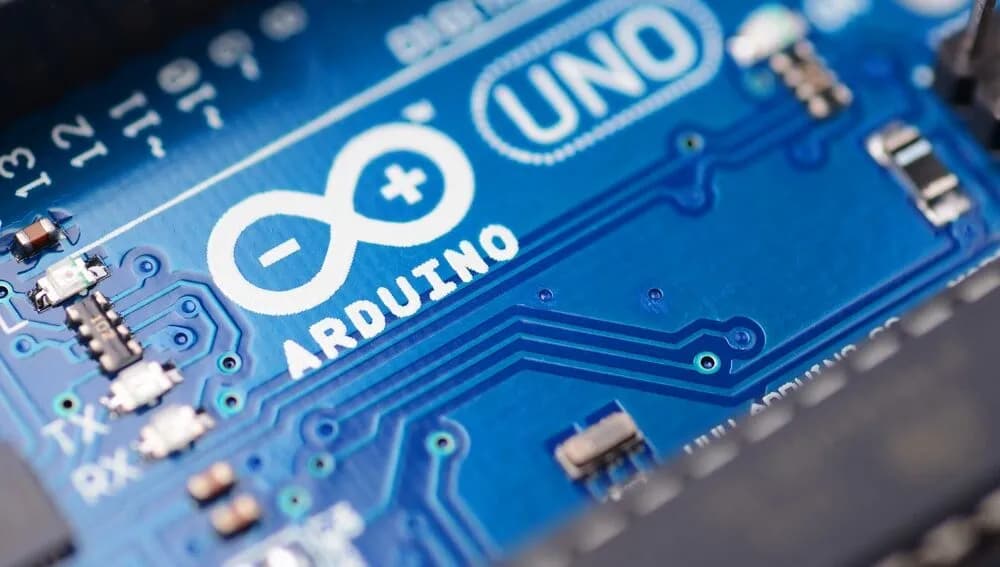
!Arduino Uno board
Listen up, future solder-smiths and accidental IoT overlords: Arduino started a revolution by making microcontrollers approachable. Now in 2026, the family has grown into something resembling a techy reality show — Uno R3 still does the basics, Uno R4 WiFi brings connectivity, and the Uno Q flexes Linux and tiny-AI muscles like it bench-presses Raspberry Pis for breakfast.
Quick takeaway: Start with an Uno or Nano to learn the ropes. Move to an ESP32 for WiFi/BLE and remote projects. Consider the Uno Q when you want Python, Linux apps, or on-device AI without crying into serial logs.
Who this is for: absolute beginners, curious makers, and people who enjoy turning boring ideas into blinking things.
Short history (without the boring bits)
The Uno R3 made microcontrollers accessible. The community exploded. Fast forward: more boards, more options, and more acronyms. You don’t need to memorise every variant — you need one that actually solves your problem.
Which board does what (fast)
- Uno R3 / Nano: Best for learning — breadboards, LEDs, sensors.
- Uno R4 WiFi / MKR series: Good for IoT and tiny wireless projects.
- ESP32 boards: Your go-to for WiFi, MQTT, OTA, and remote sensors.
- Uno Q / Portenta / Nicla: When you want Linux, Python, or on-device AI.
Why ESP32 gets the spotlight
Because it gives you WiFi, Bluetooth, decent CPU power, and a comfy Arduino programming experience. If you want connected sensors, OTA updates, or dashboards, ESP32 is a pragmatic next step.
The Uno Q: Tiny computer, big attitude
- Quad-core Linux processor + an MCU for realtime tasks
- 2GB RAM (4GB soon), 16GB eMMC, USB-C
- Runs Debian for things that need proper libraries, plus Arduino for microcontroller work
Basically: if your project needs on-device Python, ML, or Docker-like workflows, Uno Q is the flex choice.
Where to start this year (practical path)
- Blink an LED on an Uno or Nano. Celebrate. You are now dangerous.
- Read a sensor and print to Serial. Make it awkwardly personal (e.g., “Temp: 22°C — perfect soldering weather”).
- Move to an ESP32 for WiFi projects: push data to MQTT or a quick dashboard.
- Consider Uno Q for heavier tasks: local ML models, Python scripts, or running a tiny web app.
Recommended: Arduino IDE to learn, VS Code + PlatformIO for projects that actually matter, and KiCad when you stop using breadboards and start committing crimes against PCBs.
Quick board guide
- Learning & small projects: Uno R3, Nano
- Connected & IoT: Uno R4 WiFi, MKR, ESP32
- Heavy lifting & AI: Uno Q, Portenta, Nicla
Why Arduino still matters
- It’s beginner-friendly.
- Massive community and resources.
- Easy bridge between code and real-world making.
What we’ll do next
Expect a hands-on Arduino series: quick starts, ESP32 deep dives, and complete weekend builds (including campervan automation). We’ll publish code, parts lists, and video walkthroughs — and probably a few mistakes we can both learn from.
What are you excited to build this year? Drop a comment or tag us — we read them and sometimes respond with gifs.
Official Store: Buy or learn more about Arduino boards here
	<tr>
		<td class="py-2 font-medium">RAM</td>
		<td class="py-2">2 GB (4 GB soon)</td>
		<td class="py-2">32 KB SRAM</td>
		<td class="py-2">2 KB</td>
	</tr>
	<tr>
		<td class="py-2 font-medium">Storage</td>
		<td class="py-2">16 GB eMMC</td>
		<td class="py-2">256 KB</td>
		<td class="py-2">Flash only</td>
	</tr>
	<tr>
		<td class="py-2 font-medium">Connectivity</td>
		<td class="py-2">Wi‑Fi 5, Bluetooth 5.1</td>
		<td class="py-2">Wi‑Fi, Bluetooth (built‑in)</td>
		<td class="py-2">USB only</td>
	</tr>
	<tr>
		<td class="py-2 font-medium">USB</td>
		<td class="py-2">USB‑C (power, data, video)</td>
		<td class="py-2">USB‑C</td>
		<td class="py-2">USB‑B</td>
	</tr>
	<tr>
		<td class="py-2 font-medium">OS Support</td>
		<td class="py-2">Linux (Debian) + Arduino Core on Zephyr</td>
		<td class="py-2">Arduino IDE / Arduino Core</td>
		<td class="py-2">Arduino IDE only</td>
	</tr>
	<tr>
		<td class="py-2 font-medium">Shield Compatibility</td>
		<td class="py-2">Classic headers — compatible</td>
		<td class="py-2">Classic headers — compatible</td>
		<td class="py-2">Classic headers — compatible</td>
	</tr>
	<tr>
		<td class="py-2 font-medium">AI / ML</td>
		<td class="py-2">Yes — onboard AI, Python, Docker support</td>
		<td class="py-2">No</td>
		<td class="py-2">No</td>
	</tr>
</tbody>
Where Should Beginners Start in 2026?
If you’re starting today, follow these practical steps:
- Blink an LED (Uno/Nano): Learn the Arduino IDE,
digitalWrite/delay, and basic wiring on a breadboard. - Build a simple sensor project: Read a temperature or light sensor and print values to the Serial Monitor.
- Add an interface: Send sensor data to a basic web dashboard (use an ESP32) or plot serial data locally.
- Try WiFi with ESP32: Move to an ESP32 board for WiFi/BLE projects — remote sensors, OTA updates, or dashboards.
- Advance to Uno Q for bigger projects: Use the Uno Q when you need Linux apps, Python, or on-device AI/ML.
Recommended tools: Arduino IDE for beginners, VS Code + PlatformIO for larger projects, and Fritzing or KiCad for simple circuit diagrams.
Choosing the Right Board for Your Project
Not sure which board to pick? Here’s a quick guide:
- Learning basics & simple projects: Uno R3, Nano
- IoT & wireless: Uno R4 WiFi, MKR series, ESP32
- Advanced/AI/industrial: Uno Q, Portenta, Nicla
- Large/complex builds: Mega, Due
Think about your project’s needs—connectivity, size, power, and community support—before choosing.
Why Arduino Still Matters
- Huge community and support
- Tons of tutorials and open-source projects
- Easy to get started, but powerful enough for pros
- Bridges the gap between coding and real-world making
What’s Next?
Stay tuned for our new series of Arduino tutorials—starting with the basics and building up to wireless, IoT, and automation projects. We’ll help you choose the right board, get set up, and start making in 2026!
What are you most excited to build with Arduino or ESP32 this year? Have questions or want to share your project ideas? Drop a comment below or tag us on social media—we’d love to hear from you!
Official Store: Buy or learn more about Arduino boards here