

Tutorial04 January 2026
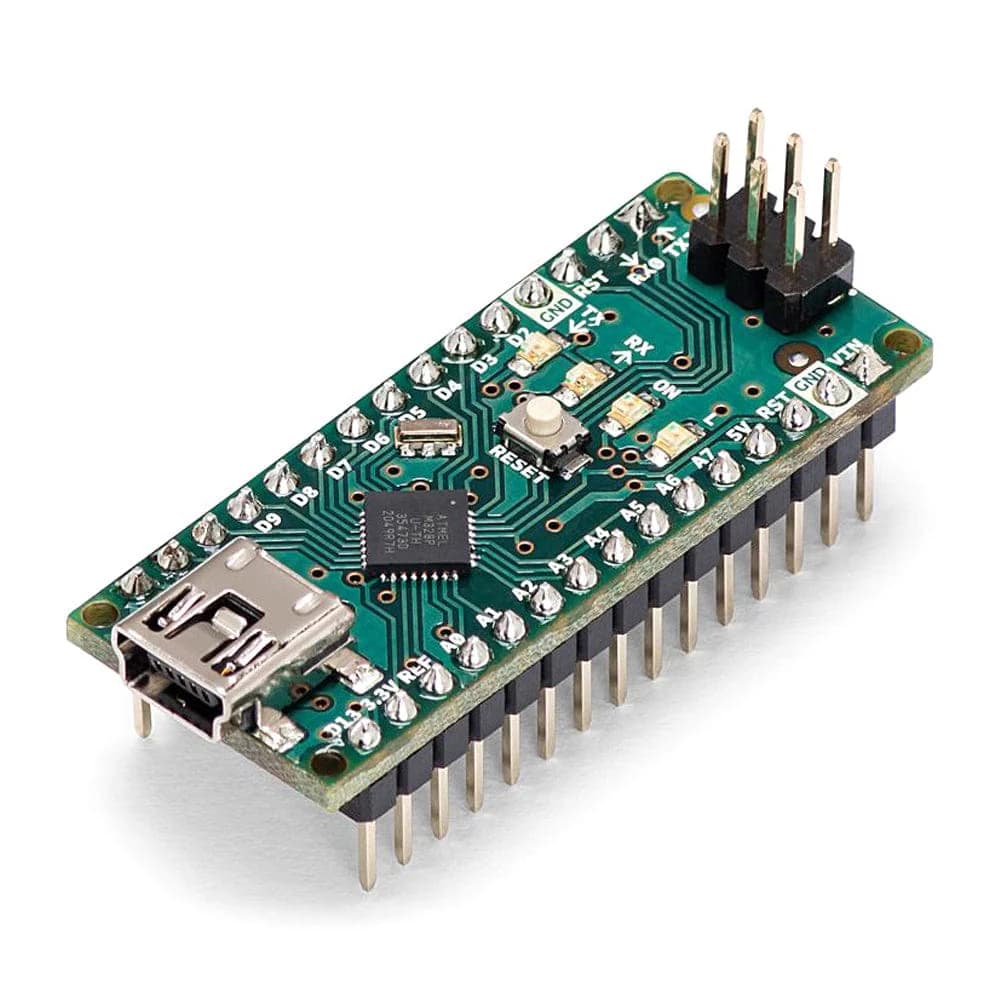
Motors & Relays — Arduino Nano
By KreativeKommit
#Arduino#Nano#motors#relays#intermediate
Control DC motors and relays from an Arduino Nano. This guide covers H-bridge (L298/L293) motor drivers, simple MOSFET motor switching, and driving mechanical relays safely.
Estimated time: ~30–45 minutes.
Parts & tools
- Arduino Nano
- DC motor(s) (3–12V typical)
- Motor driver (L298N or L293) or N-channel logic-level MOSFET (e.g., IRLZ44N)
- Diode-protected mechanical relay or relay module (with transistor driver)
- Flyback diodes (1N400x) for motors/inductive loads
- External motor power supply (matched to motor voltage)
- Heat sink for driver (if required), breadboard and jumper wires
Wiring
- H-bridge (L298N): connect motor power to
VMS, logic supply to 5V, and common GND to the Nano.EN-> PWM pin (e.g., D3),IN1/IN2-> direction pins (e.g., D4, D5). - MOSFET low-side switch:
Gate-> PWM pin through 100Ω,Drain-> motor negative,Source-> GND; motor positive -> external supply. Place a diode across the motor terminals (cathode to +V). - Relay (via transistor): Nano GPIO -> base resistor (1kΩ) -> NPN base; emitter -> GND; collector -> relay coil negative; relay coil positive -> Vrelay. Add diode across coil.
Safety: never power motors from the Nano's 5V pin. Use a separate motor supply and always connect grounds together. Add decoupling capacitors and flyback diodes to prevent spikes.
Example: Motor control with L298N
const int enA = 3; // PWM pin
const int in1 = 4;
const int in2 = 5;

void setup() {
  pinMode(enA, OUTPUT);
  pinMode(in1, OUTPUT);
  pinMode(in2, OUTPUT);
}

void driveForward(int speed) {
  digitalWrite(in1, HIGH);
  digitalWrite(in2, LOW);
  analogWrite(enA, speed);
}

void driveReverse(int speed) {
  digitalWrite(in1, LOW);
  digitalWrite(in2, HIGH);
  analogWrite(enA, speed);
}

void loop() {
  driveForward(200);
  delay(2000);
  driveReverse(200);
  delay(2000);
  analogWrite(enA, 0);
  delay(1000);
}
Example: Relay switching (via transistor)
const int relayPin = 7; // drives transistor base via resistor

void setup() {
  pinMode(relayPin, OUTPUT);
}

void loop() {
  digitalWrite(relayPin, HIGH); // energise relay
  delay(1000);
  digitalWrite(relayPin, LOW); // de-energise
  delay(1000);
}
Tests
- Verify motor supply voltage with a multimeter before connecting the motor.
- Test direction pins and PWM with no-load and low duty-cycle.
- Test relay switching with an LED or low-voltage load before connecting high-voltage mains.
Troubleshooting
- Nano resets when motor starts: power draw too high — use a dedicated motor supply and decoupling.
- Motor driver overheating: check current rating, add heatsink or use a MOSFET-based driver.
- Relay chattering: ensure stable supply and add snubber for inductive loads.
Migration notes (ESP32 / other boards)
- ESP32 uses 3.3V logic and a different PWM API (
ledcAttachPin/ledcWrite). Ensure driver inputs accept 3.3V or use level shifters. - Pin mapping and PWM frequency differ — map pins carefully and test PWM behaviour.
Next steps
- Add encoder feedback for closed-loop speed/position control.
- Add current sensing (ACS712 or shunt + amplifier) for stall detection and safety.